Getting the truth out of a software demo.

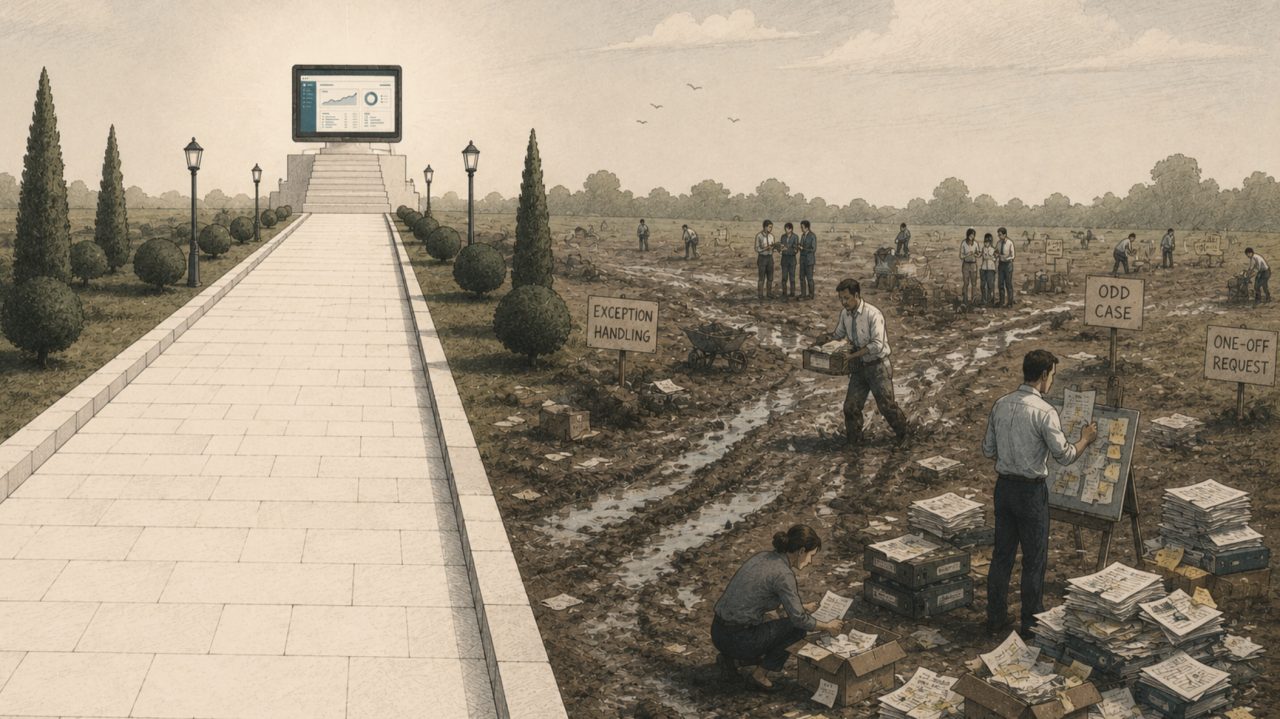
When you sit down for a software demo, you and the vendor are playing two different games in the same meeting. You think you’re evaluating whether the thing fits. The vendor is running a well-rehearsed route through the product they know works. None of that is dishonest. It’s their job, and a good salesperson is good at it. But it means the demo is built to show you that the software can do something once, under controlled conditions, while you’re trying to find out whether it will do everything you need, every day, for years. Those are not the same question, and the gap between them is a sinkhole for time and money.
Because most of the money wasted on insurance software isn’t wasted when you sign. It’s wasted in the eighteen months after a good demo, when the thing you thought you bought turns out to be a thing you have to build, wait for, or work around. There’s a standard process for buying software and you can find it described anywhere: draw up requirements, shortlist, send an RFP, sit through demos, take references, negotiate, sign. It’s fine as far as it goes. But the demo is the one stage where you can actually get at the truth rather than a claim, and it’s the stage most buyers get the least out of.
A good demo is mostly won or lost before it starts. Walk in without having done the work and you’ll be shown the happy path, you’ll nod along, and you’ll find out what the software can’t do over the course of the next year.
Prepare for the demo
Preparation is really one question: what are the specific, awkward, real things about your business that this software has to survive?
Start by mapping what you actually do, honestly, including the bits nobody puts in the process diagram. The workarounds are the most valuable thing here: every spreadsheet hack, every “oh, we just do that manually”, every override someone applies once a quarter is a real requirement wearing a disguise, and it’s exactly the sort of thing a demo will never volunteer to show you. Ask your team how they actually get this done when the official process doesn’t cover it.
Then be careful about what you write down as a requirement, because your requirements list can become a fossil of the software you already have. I’ve watched this happen many times; you ask a team what they need and they describe, in confident detail, the workflow their current system forced on them. The three-screen quote journey that exists because the old platform couldn’t put those questions on one page. The overnight batch job everyone plans their day around. None of that is a requirement, it’s built-in pain, and if you take it into the demo as a requirement you’ll end up grading vendors on how well they reproduce your old constraints. For everything you do today, ask whether you do it that way because it’s genuinely the best way, or because it’s the way the current software works. You can’t tell by looking, you can only tell by asking why, and not stopping at the first answer.
Not everything you found deserves the same weight, though, and treating it as if it does is a quiet way to sink the whole thing. Some of what you do is genuinely rare. If a case comes up once every couple of months and takes someone twenty clunky minutes, that’s fine, and a new system that makes it slightly clunkier is still fine. The things you do every day or every week are the opposite: those have to be genuinely smooth, because a few minutes saved there, multiplied across ten people doing it ten times a day, dwarfs everything else. A monthly job going from two hours to three is a rounding error if the daily job ten people run drops by half an hour each. So the goal isn’t a system that’s perfect at everything. It’s one that can do the whole of your business and is excellent at the parts you do most. Prioritise the biggest wins and let the rare, clunky stuff stay a bit clunky.
The exception to watch for is the one the system can’t handle at all, because your business is full of rules that hold right up until the one time they don’t. You never write a risk like this, so it’s built into underwriting as a hard stop, until an insurer agrees a manual endorsement on a £10m PL you’d normally decline and the system flatly won’t let it through. You never write property without liability attached, until the one case where you do, and the schedule can’t represent it. Commission on a product is always 15%, until the one placed with different capacity at 12.5%. Each of these is rare enough to feel safe to wave through in a demo. But “the system hard-blocks it” turns a five-minute exception into a policy you can’t issue, and those are the cases worth finding before you buy, not when terms need to go out before close of play.
You don’t have to reason from a blank page about where your risks are. Insurance has some common axes worth thinking through, and where you sit on each tells you, before you’ve spoken to anyone, roughly where your money and your bottlenecks are, and therefore what to stress-test hardest:
- —How you distribute. If you primarily do business over the phone or with client visits, your cost is people-time per case and the flexibility an agent needs mid-conversation, so stress-test journey speed and how easily someone goes off-script without breaking the case. If you’re e-traded, your cost per case is tiny but any friction multiplies across thousands of quotes, so stress-test the quote journey, rating speed, straight-through processing and the aggregator and portal integrations.
- —How broad your book is. Niche, and your risk is bespoke rating and rules and the unusual data you capture that no off-the-shelf product expects. Broad, and your risk is the speed of maintenance of your products and augmenting your underwriter’s product knowledge.
- —How much you underwrite each risk. Heavy, and it’s referrals, the underwriter’s workbench, subjectivities and the audit trail. Light, and it’s the rating engine and how gracefully it handles the exceptions that fall out of straight-through processing.
- —Broker or MGA. An MGA is an agent of the insurer and needs to handle binder maintenance, carrier reporting, multi-layer commission splits and binder MI. A broker is primarily an agent of the customer and the focus will be panel and market access, remarketing, advice and product comparison. Different work, and a demo will happily flatter whichever one the vendor is stronger at.
The point of locating yourself isn’t to put you in a box, because most firms are a blend and the interesting ones are a blend that doesn’t quite fit. The point is that it stops you being impressed by the wrong thing. If you’re a schemes broker and eighty per cent of your business is high-touch, advice-heavy scheme work, a slick side-by-side cover comparison of shop policies is a lovely demo that has almost nothing to do with your day. Knowing your shape tells you where to point the demo, and what to quietly ignore however good it looks.
Out of all this comes the most useful thing you can carry into the room: a short list of your own awkward scenarios to ask them to run. The kind that expose a weak system quickly, like:
- —How does it handle the terrorism section commission being different from the commission on the rest of the policy?
- —What if we need to override the penny rate for buildings on the second premises only?
- —What happens if the wrong commission goes on, and it isn’t discovered until the insurer rejects the bordereau? How do we correct it and everything downstream of it?
- —How does renewal work for a one-month event policy that runs at the same time every year?
- We’ve mapped what we actually do, including the workarounds and manual overrides, not the tidy process diagram.
- We’ve separated real requirements from scars left by our current software.
- We’ve weighted what we found by how often it happens and how much it hurts, so we know where the system must be smooth, where clunky-but-possible is fine, and where “can’t do it at all” would be fatal.
- We know our biggest efficiency wins and we’re not chasing perfection in every corner.
- We know our shape well enough to know what to stress-test hardest, and which impressive features are irrelevant to us.
- We’ve got our own real, messy scenarios ready to bring.
Running the demo
You don’t have to refuse the prepared demo, and there’s nothing wrong with a vendor walking you through what they’ve built. The mistake is letting that be the whole session. Don’t just follow the happy path, ask to see the specific areas you care about, and go off-piste while you’re there. And be fair about it: if you throw a scenario at them they haven’t set up, a perfectly good answer is “we haven’t got that configured today, let’s book a follow-up with our specialist and show you properly.” That’s fine, and often a good sign. What isn’t fine is a promise that it can be done because, well I said so. The difference between a vendor who’ll arrange to show you and one who just wants you to take their word is one of the most useful things you’ll learn in the room.
Where you can, bring your own scenario with your own messy data and make them run it live, rather than their demo database with its suspiciously round numbers and clean addresses. Run the awkward scenarios you prepared, give every vendor the same ones so you’re comparing like with like, and watch where they diverge rather than where they all look identical. The whole aim is to get off the happy path, because the happy path is the one thing you can already be sure the software does.
Then react to what’s actually on the screen, and ask to take the path less trodden. Questions like these can be very revealing:
- —Those comparison icons for protected no-claims and driving other cars look great. Can we have our own versions for our fine art scheme comparison?
- —That AI policy-schedule ingestion looks great, but I notice the schedule and the question set both say “Building Sum Insured”, word for word. Can you run it on our schedule, which says “Buildings declared value”, or the one where the section is titled “Buildings” and the sum insured is over the page?
- —Being able to add a percentage load to the premium is useful, but where do I see that load once it’s on cover? Does it come through to the bordereau? Can I have several loads for different reasons, each with its own insurer authorisation code? Can those come through to the bordereau?
- —There was a button on the previous page that said “compare” that you didn’t click, could we go back and look at that?
The point of all of these is the same. You’re finding out whether the thing you saw work in the neat case still works in yours, and whether what looks like a feature is actually a demo built for exactly one set of inputs.
Last thing, and it’s the one to be strict about. If something matters to you, you need to see it working in front of you, or have it written into the contract in real detail. “That’s on the roadmap” is not a feature, it’s a hope, and a hope with no date and no specifics is worth nothing. Make them show it today on your scenario, and if they can’t, either it goes in the contract with enough detail that there’s no wriggle room later, or you treat it as something the software doesn’t do.
- We ran our own real, messy scenario live.
- We went off the happy path and watched what happened, including at least one genuinely awkward case.
- We asked live questions off the back of what we saw on screen, not only the ones we scripted.
- Where they couldn’t show something, we got a “we’ll set it up and show you properly”, not a “trust me, it does that”.
- Anything that matters and wasn’t shown working today is going in the contract, in detail. Nothing “on the roadmap” counts as delivered.
What it comes down to
None of it is about catching vendors out, and the good ones will respect you for it. A demo is the vendor at their best: their day, their data, their route through the product. That’s fair enough, it’s a sales meeting, not an audit. But it does mean the demo can only ever show you the game they came to play, and the whole job of a good buyer is to quietly change it, to the one where your own business has to work on their software before you sign. If it can’t survive fifteen minutes of your reality, that isn’t a snag for the implementation team to tidy up later. It’s your answer, and it’s a lot cheaper to hear now than in a year. Ask for that, and you’re evaluating software. Anything less, and you’re just watching an advert.
17 years in technology and business leadership, including eight as CIO of a specialist insurance broking business. Appointed CEO of Outrun in 2021.
steve.hirst@outrun.insureWe use essential cookies to make the site work, and analytics to understand how it’s used. Cookie Policy.